Section Insights
Introduction to Automating Invoicing
What is the purpose of the invoicing system being built?
The system aims to automate the invoicing process for businesses, eliminating the need for manual data entry and allowing for efficient payment confirmations.
- Businesses are willing to pay for solutions that save time and reduce manual labor.
- The system will be built using a single tool to avoid complications from multiple subscriptions.
- The key to monetizing this solution lies in understanding client needs and offering a complete service.
Understanding Client Needs
What do business owners gain from the automated invoicing system?
Business owners gain relief from never falling behind on invoices and no longer needing to pay for manual data entry, which is prone to errors.
- Automation provides significant time savings and reduces the risk of human error.
- The system allows for seamless invoice processing from upload to payment confirmation.
- Clients value the peace of mind that comes with automated systems.
Workflow Automation Details
How does the workflow for processing invoices operate?
The workflow automatically extracts data from uploaded PDFs, updates records, and notifies vendors when invoices are paid, ensuring a smooth and error-free process.
- The use of structured data and error handling is crucial for maintaining system reliability.
- Flexibility in data mapping allows customization for different client needs.
- Effective error handling is essential for client confidence and system integrity.
Closing the Invoice Loop
What is the final step in the invoicing process?
The final step involves notifying the vendor that their invoice has been paid, thus completing the cycle of submission, review, payment, and confirmation.
- Automating communication reduces unnecessary back-and-forth between vendors and business owners.
- The entire process can be managed with minimal human intervention, enhancing efficiency.
- Demonstrating the system's reliability during sales calls can alleviate client concerns about potential errors.
Monetizing the Invoicing System
How should one price and sell the automated invoicing solution?
The solution should be priced as a four-figure setup fee, with an ongoing retainer for maintenance, reflecting the significant time and cost savings it provides to clients.
- Understanding the client's current invoicing process helps identify potential clients.
- The recurring revenue model is attractive due to the continuous need for invoice management.
- Confidence in the system's reliability allows for higher pricing and better client relationships.
Transcript
0:00 There is a local business within 10 miles of you right now that is paying a human to sit there and hand key invoice numbers into a spreadsheet one at a time and they hate doing it and they will happily pay you four figures to make it go away. Today I'm going to build that exact system live start to finish. An invoicing portal where a business's clients drop in an invoice and the whole thing gets read, sorted into clean line items, logged, and the payment confirmation goes out on its own. And I'm building the entire thing in one tool. So there's no air table wired up to N8N and no Zapier bolted to the side and the part that turns this from a cool demo into a four-figure offer with a retainer attached isn't the build itself. So stick with me because it's the one move at the very end that most builders completely skip over. I help business owners, entrepreneurs, and freelancers turn AI into actual income.
0:49 So if that sounds like you, come join my school community of over 3,000 members who are doing this for real. You'll learn how to actually find clients, sell things that they want to buy, and close them. And you'll get access to me to get all your questions answered. The link is down below. All right, now let's get into this build. So before I build it, let me show you what your client actually gets because this is what you're selling. The usual way that you'd build something like this is a whole stack, a database holding the data, an automation tool pushing it around, and then a front end stitched on top which means that every layer is another subscription and another thing that can break in a week and then make you look bad in front of the client. But we're not doing that. The reason I keep coming back to Saster for client work is that the front end, the login logic, the database, the AI, and the automations all live in one place. So you hand over one clean system instead of a pile of duct tape. So here's the finished product. On one side you've got the people sending invoices in. Call them the clients' vendors or their own customers and they just log in and upload an invoice. On the other side you've got the business owners' team reviewing everything. They open an invoice and the invoice number, the due date, the currency, and the line items are already sitting there, pulled straight off the PDF. Nobody typed any of it. They check it, they mark it paid, and the person who sent it gets an email letting them know that the money is on the way. So, that whole loop runs without anybody touching a spreadsheet.
2:14 That's the thing that the business owner feels in their chest. Never falling behind on invoices again. Never paying someone to do data entry that a machine should be doing. That relief is what they're actually paying you for. So, let me show you how I build it, and I'll point out exactly where the money is as we go. Okay, so the foundation is the Softr database. If you've ever used Airtable, this is going to feel instantly familiar. Same idea, rows and fields, except it's living right next to your front end and automations instead of off in another tab. So, when a vendor uploads an invoice through the portal, a new row gets created right here, and that's going to kick off the workflow, which we're going to set up in just a moment. That workflow is going to replace a whole human employee and save hours of work that's currently being done manually. And mind you, humans can get tired and make mistakes, or be having a bad day and fat finger an entry. But the workflow works automatically to extract the information from the PDF, and then an AI model is going to analyze it, and then return clean data that's ready to be updated in the record that was created when the new invoice was uploaded. And this is where Softr workflows come in. Okay, so if you've ever used n8n or Zapier, this whole screen is going to make sense immediately. You've got a trigger, and then you build steps and branches off of it. And honestly, I would say it's a lot friendlier than Zapier. And the big thing that it's running inside is the same tool as everything else. So, there's nothing to connect. For the trigger, I'm using when a new record is added. So, anytime a new invoice is received, the system will read the invoice and extract all of the information that it contains, and then send it to the next step, which is a custom AI prompt. In the prompt, we simply instruct the model to return data in a structured, clean JSON output. You can see in the data from the previous step that the information just comes out in a blob, but we need individual fields so that we can dynamically map the values. This ensures that each time a new invoice comes in, each field gets updated correctly. And the last step here is updating the record. So, the workflow will update the record that was just created using the parsed data from the extraction that was then cleaned up by the AI model. Next, we'll set up the workflow for notifying the vendor that the invoice was paid. For the trigger, instead of when a record is added, I'm using when a record meets conditions.
4:29 And the condition is that the processing status flips to complete. That status is just a little formula that stays empty until the AI field has something in it. So, the moment the extraction finishes, the status flips, and that's what kicks off this whole workflow. So, the chain is automatic the whole way down. Invoice comes in, agent reads it, the status flips, and the workflow runs. The first step inside the workflow is a tiny bit of code that takes that JSON and parses it out. And the reason why that's powerful is that it gives you total flexibility. So, you're not boxed into rigid fields. You can shape the data however your client needs it. Now, this next part is the difference between an amateur build and something that you could actually charge for. I've got a branch here for when something goes wrong. If the parse fails, the record gets flagged as an error so that a human knows to go and look at it instead of having the whole thing silently break.
5:18 And when you're handing this to a paying client, that error handling is what allows you to sleep at night. And when it works, the workflow updates the record with the real values, the status, the currency, the notes. And then it uses a bulk action to loop through every line item that the agent pulled out and create a separate record for each one. So, the invoice doesn't just say total whatever, it's broken out line by line automatically. And here's the bit that makes this feel like a real product.
5:44 Softr keeps a run history of every workflow. So, if a client ever asks, "Hey, what happened with this invoice?" you open the history and you can see every step that ran, what it returned, and where anything went sideways. That is your debugging panel, and that's also the thing that you point at during a sales call when a client asks, "Well, what if it messes up?" So, at this point, a vendor uploads a PDF, and with zero human involvement, that invoice is read, parsed, organized into line items, and sitting in the review queue clean.
6:14 Now, we've got one more piece, the part that closes the loop for the person who actually sent the invoice. So, the business owner's team opens the invoice, everything checks out, and they mark it as paid. The status change fires off one more workflow. This one looks up the vendor's name, grabs their email, and then sends them a templated message. "Hey, your invoice for this amount has been paid. You'll have the funds in a couple of days." So, the vendor isn't sitting there wondering if they got stiffed, and the business owner isn't fielding, "Hey, did you pay me yet?"
6:42 emails. That whole back and forth that usually eats up somebody's entire Friday afternoon, just no longer happens. And from the vendor's side, their invoice slips to paid, and the confirmation email lands. So, that's the full circle. Submitted, read, reviewed, paid, and confirmed. And the only human decision in the entire chain was one person clicking paid. Okay, now here's the thing that I told you to stick around for, because building this is genuinely the easy part now. Most builders would finish this, post about it on Twitter, and then wait for someone to magically ask them to build one. That's not how you get paid. What you do is you go and find the businesses that are drowning in this one specific problem, and you walk in with the solution already half-built.
7:24 So, who actually needs this? Think about any business that's getting a steady stream of invoices in, and paying people on a schedule. The contractor or a property management company juggling a stack of subcontractor invoices every week, small agency paying freelancers, a medical or dental office handling supplier bills, a logistics company, the signal that you're listening for on a call is simple. Who handles your invoices right now? If the answer is a person and a spreadsheet, you have found your client. And here's how you'd price it, because this is where people undersell themselves into the ground.
7:57 This isn't a hundred dollar gig. A build like this is a four-figure setup fee, full stop. Because you're saving them real hours and real payroll every single month. I'd put this at three to five thousand dollars to build and hand off. And because invoices don't stop coming, there are new ones every week, new vendors to add, the occasional weird format to handle, this is the easiest retainer that you'll ever pitch. You charge five hundred dollars a month to own it, keep it running, and onboard new vendors as they show up. That recurring piece is what turns this project into a business. And the reason why you can charge that with a straight face is because it's built on Softer. This isn't some fly-by-night thing that you vibe coded with a tool that you don't understand, that breaks in a week and then torches your reputation. It's a real production-ready system that you can stand behind. That confidence is worth as much as the build itself. So now you don't just know how to automate invoicing, you've got a complete sellable system. You know exactly who needs it, and you know what to charge for it. The hard part was never the technology. The hard part is understanding the problem that you're solving, and being able to walk into a room and say, "I can make this whole thing disappear for you." And now you can. If you want to try this build yourself, Softer's link is down in the description and you'll get two hundred free credits to go and play Softer's AI co-builder and use it to put your own version together. Build it once, use it as a demo, go sell it. And if you want help building systems like this, finding these clients, and actually closing them, come join my school community of over three thousand members doing this for real. You'll learn how to actually find clients, sell things that they want to buy, and then close them. And you'll get access to me to get all of your questions answered. The link is down below. Thanks for watching and I will see you in the next video.
Summary
- A local business may pay significantly to automate their manual invoice processing.
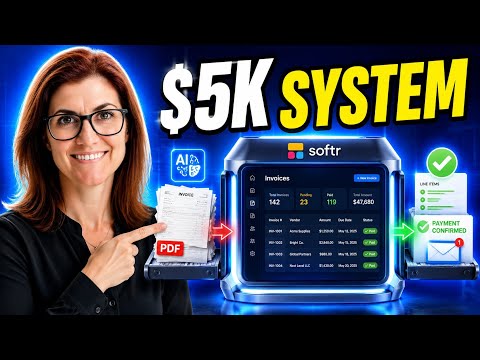
- The presenter builds a complete invoicing portal that reads, sorts, and confirms invoices without human intervention.
- The system uses Softr, which integrates the database, front end, and automation in one tool, avoiding complications from multiple subscriptions.
- Key features include automatic data extraction from PDFs, AI processing, and error handling to ensure reliability.
- The completed system allows vendors to upload invoices and receive payment confirmations automatically.
- The presenter advises targeting businesses that handle numerous invoices and offers a pricing strategy of $3,000-$5,000 for setup and a $500 monthly retainer for ongoing support.
- Confidence in the system's reliability is crucial for pricing and client trust.
- The video encourages viewers to build their own systems and join a community for support in finding clients and closing deals.
Questions Answered
What is the purpose of the invoicing system being built?
The system aims to automate the invoicing process for businesses, eliminating the need for manual data entry and allowing for efficient payment confirmations.
What do business owners gain from the automated invoicing system?
Business owners gain relief from never falling behind on invoices and no longer needing to pay for manual data entry, which is prone to errors.
How does the workflow for processing invoices operate?
The workflow automatically extracts data from uploaded PDFs, updates records, and notifies vendors when invoices are paid, ensuring a smooth and error-free process.
What is the final step in the invoicing process?
The final step involves notifying the vendor that their invoice has been paid, thus completing the cycle of submission, review, payment, and confirmation.
How should one price and sell the automated invoicing solution?
The solution should be priced as a four-figure setup fee, with an ongoing retainer for maintenance, reflecting the significant time and cost savings it provides to clients.