Transcript
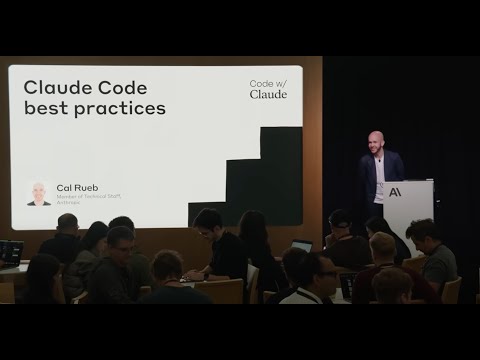
0:05 Let's get started. Welcome everyone to Cloud Code best practices. In this talk, I'm going to talk about kind of what cloud code is at a high level. Then we'll peer under the hood a little bit to kind of understand how cloud code works. And then knowing that because it's useful to kind of know how your tools work. We're going to talk about good use cases for cloud code and also best practices we've figured out both internally and from our users uh for getting the most out of this tool. Uh but before I get started, I'd like to introduce myself real quick and talk about how I ended up on the stage. So, my name's Cal and I joined Enthropic about a year and a half ago uh to help start up a team we call applied AI. And it's the applied AI's kind of mission, our team's mission is to help our customers and partners build great products and features on top of Claude. So what that really means is I spend a lot of my day prompting Claude to get the absolute best outputs out of these models. That said, I also love to code and I'm definitely one of those coders that like starts a lot of projects, has some crazy idea, and then just never finishes them. So, I have this graveyard of just like code that I started, never really finished. Um, but I'm always spinning new things up. And late last year, I was in Slack and I was hearing about this new tool that a few people are using. They were saying it was really cool. And so, on a Friday night, I downloaded the tool that would become Cloud Code.
1:33 And I threw it at this kind of new notetaking app that I wanted to build. And like that whole weekend just kind of totally changed the way that I code and think about software engineering. I was carrying around my laptop with me all weekend. I was super addicted to just watching Claude Code work and I would press enter and I'd switch over to my browser and refresh and I watched this huge powerful application come together in front of my eyes. And I got way farther into this thing than I ever would have on my own. And it just blew my mind. And while I was doing this, I was a little worried. I was like, you know, I you know, I kind of know how these things work. So I'm like, man, I'm using a lot of tokens. I hope I don't get in trouble or anyone like notices. I'm not really contributing to anthropic code. Um, but what I didn't know is that the claude code team had built this internal like leaderboard tracking how much all the anthropic employees were using this. And over the weekend, I had shot to the top. And so through that, I got to meet Boris and Cat and some of the early cloud code team. And I was able to start talking to them and say, "Hey, I love this tool. I also know a lot about prompting. Can I help you all out?" And so through that I got involved and now I'm one of the core contributors on the team and I do a lot of I work a lot on the prompting the system prompts how the tools work the tool descriptions and tool results as well as I work on how we evaluate this tool. So when we think about changing the prompts how do we make how do we know we made things better or the same and we didn't totally ruin cloud code. So with that said let's kind of dive in. So, here's my current mental model of Claude Code and how I describe it to people when people ask me. Claude Code is like that co-worker that does everything on the terminal. It's the sort of person that just never touches the guey. They're a whiz. I think of when I was a junior engineer, I had this mentor and I would walk over to his desk and I would say, "Hey, Tony, can you help me with this bug?" and he would whipping it open his terminal and he'd be like doing all these crazy bash commands and changing things around in Vim and I'd always walk away thinking, "Wow, that was crazy. I should learn how to do that." Um, I never did.
3:41 But having Claude Code on your computer is kind of like having Tony next to you all the time. So, how does Claude code kind of work under the hood? At Anthropic, we try to always do what we call the simple thing that works. And what that means for Cloud Code is it's what we would consider a very pure agent. And anthropic, when we talk about agents, what we really mean is some instructions, some powerful tools, and you let the model just run in a loop until it decides it's done. And that's really what Cloud Code is. So it's tools, powerful tools, and the tools that you know someone that was really good at a terminal would be able to use tools to create and edit files to use the terminal. And then you can also do things like pull in other things with MCP. Now, on top of that, there's how Claude understands the codebase. And if you're going to build a coding agent or a coding tool a year ago, you'd probably have ideas like, well, okay, I'm going to get this user message about something about this codebase and I'll need to figure out which files are relevant. So maybe I'll like index the whole codebase and embed it and do this fancy like kind of rag retrieval thing. That is not how cloud code works. We don't do any sort of indexing. Instead, claude kind of explores and understands the codebase. how you if you were new to a team and new to a codebase would explore a codebase and that is through a gentic search is the same sort of search tools you or I would use things like glob and gp and find and it can work its way through a codebase and understand what's going on and when we talk about a gentic search that really means the model can go do some searches and then it can look at the results and can say hm maybe I need to figure out a few more things I'm going to go do some more searching and then come back and then on top of these primitives. On top of this agent, we have a few things. We have a very nice light UI layer where you get to watch Claude code work. You see all the text fly by and we have this nice permission system that allows the agent to work and allows and kind of forces the human to butt in when the agent is doing something dangerous. And then on top of that, we also care a lot about security in this tool. And so because quad code is just such a lightweight kind of layer on top of the model and the fact that our model is available not just behind anthropic APIs but also with our cloud providers AWS and GCP it's very easy and native to point cloud code at one of these other services if you feel more comfortable consuming cloud that way. Now a lot of people ask me hey Cal what can I use cloud code for? Like what is it good at? where is it interesting? And the reality is it's kind of great at everything. So let's start with discovery. Often times in your career, you will be dropped into a new codebase. Whether that means you're switching teams, you're switching companies, I don't know, you're starting to work on some sort of open source project. And probably when you're first getting started and getting familiar, you're not very productive because you're just trying to figure out where things are in the codebase, what patterns kind of the team is using, things like that. And Claude code can kind of help supercharge that onboarding process. You can ask claude, hey, where is this feature implemented?
7:09 Or since it's great at the terminal, you can say, hey, look at this file and look at the git history and just kind of tell me a story about how this code has changed over the past couple weeks. One thing you can use cloud code for, and I think this is underrated, is instead of just diving in and starting to work, you can use cloud code as a thought partner. So oftent times when I'm working with Claude and I want to implement a feature or we're going to change something up, I'll open up Claude and I'll say, "Hey Claude, you know, I'm thinking about implementing this feature, can you just kind of like search around and kind of figure out how we would do it and maybe report back with like two or three different options. Don't start working. don't start writing any files writing any files yet and claude will go off and use those agentic search capabilities and come back with a few ideas and then I could work with claude to kind of validate things and then we can jump into the project of course cloud code is great at building and writing code and I would say this in on two different fronts one it can do the zero to one sort of stuff you drop it in an empty directory and you say hey build me an app build me a game that demos where very well it's very fun to do it's very grat gratifying. Of course, in reality, what really matters is is cloud code good working in existing code bases. And this is primarily what we focus on. Um, on the cloud code team, we have in our codebase abnormally high, I would say, unit test coverage.
8:34 And that's because cloud code makes it so easy and just straightforward to add unit tests. So, we have great code coverage. And then the other thing we have in cloud code in our own codebase is we have great commits and PR messages because when we finish working we'll just say hey cloud write the commit for me write the PR message for me. We also see great opportunities to use cloud code in kind of the deployment like deployments and in other parts of the life cycle. And this is a few other people have talked about this but this is using the cloud code SDK. So using it headlessly, using it programmatically, being able to sprinkle in a coding agent agent anywhere. And so that's things like sprinkling it into CI/CD to use it in GitHub for instance to help people um programmatically.
9:24 And then finally, it's great kind of with support and scale. It can help you debug errors faster. One thing that we saw when we started giving cloud code to customers and talking to them about it, we didn't totally predict this was a lot of customers or potential customers said, "Hey, we've been me we've been kind of putting off this like large codebase migration. People that are on old versions of Java trying to get to a new one or a team that's on PHP and they're trying to get to React or Angular. We've talked to multiple teams like this and having a tool like Cloud Code makes projects like that a little more digestible. when you go to your team and you say, "Hey, we're going to spend a month, you know, refactoring or rewriting large parts of the codebase." And then on top of that, and this kind of matters across all these, is once again remember Claude is great at the terminal. And that means it's going to be great at all those different CLI tools, things like Git, Docker, Big Query, things like that. I never have to worry about, oh, I'm going to get myself, how do I get myself out of this sticky rebase? I'll just fire up cloud code and tell it the situation and be like, "Hey, can you fix this for me?" It's incredible. Now, let's talk about best practices. And the first one is not going to be a surprise, but the first one is use claw.md files. So, remember that cloud code, like I said, is an agent and it has some tools, has some lightweight instructions in the prompt, but it doesn't really have memory. And so the main way we share state across kind of sessions or across our team when we fire up cla code in the same codebase over and over again is this cloud.mmd file. So when we start cla what happens is if there's this claw.md file in the working directory it's just plopped into context. It's plopped into the prompt. And basically what it says is hey claude by the way these are important instructions the developer left for you. Be sure to pay close attention to this. And there's various places you can put the cloudmd file. You can put it in a project and check it in so all your teammates share it. You could put one in your home directory if there's things you just want claude to always know about regardless of what you're working on. And the things you put in here are things like, hey, by the way, maybe this is how you run the unit tests. Or just so you know, to make kind of your searching and life easier, here's like just like an overview of kind of how this project is laid out, where the tests live, what different modules are, things like that.
11:51 or here's our style guide. All sorts of things like that to just make Claude's life a bit easier. And you can build these things up over time. The other thing you can do, which is important, is permission management. When you're running Cloud Code, there's all sorts of different kind of permission things flying by. Kind of out of the box, what happens when you start our tool is for read actions. If Claude is searching or reading, we just let it go. But once it starts writing or running bash commands or doing things that could change change stuff on your machine potentially, that's when we kick in this UI and it says something like yes, yes, always allow this or no, um, I want to do something else. And using that permission management and being smart about it can help you work faster. So there's something called autoaccept mode where if you're working with cloud code and you press shift tab, claude will just start working. There's things you can do like you can configure claude in the settings where specific commands like on bash like if you just are like tired of saying yes run npm run test you can just always approve that. So fiddling with your permission management is a great way to kind of speed up your workflow integration setup. So, one thing that is going to help you get the most out of cloud code is remember that it's great at the terminal. And if there's applications that you use which have kind of a way to access them through CLI and GitHub is a great example of that. They have a powerful tool called GH you can basically give more work to cloud code and you can do that either by just installing more CLI tools or you can attach more MCP servers. Um, I would say just through experience that if you're using something like um, a CLI tool that's well known and well documented and you're trying to choose between the CLI tool and just installing it on your machine and grabbing an MCP server, I would recommend using the CLI tool. Um, and then also if you internally have your own tools at Anthropic, we have something called coup that does a whole bunch of stuff for us. You can also tell Claude about that and you pro that's the sort of thing you'd put in claude.mmd and then context management. So remember that claude is an agent and when it's an a what what it does it's calls these tools and the context builds up and up over time and at least for anthropic our models have a context window of 200,000 tokens and you can max this thing out. So you kind of have two options when you're in a long session with claude and you're working and you're going back and forth.
14:29 You'll see in the bottom right you'll start to get this little warning that'll say hey you're starting to fill up the context window and kind of depending on what's going on you have two options. You can run slashcle and just start over and that clears everything out except for for instance claw.mmd or you can run slash compact and what'll happen is basically it's like a user message is inserted and it just says something like hey I need to go summarize everything we've been up to. I'm going to give this to another developer and they're going to pick up where I left off. And then that summary is what kind of seeds the next session. You can go from there. We spend a lot of time tuning this kind of compact functionality so that as you max out the context window and then run compact, you can start back over and keep going efficient workflows. What can you do with cloud code? And how do you get the most out? So using planning and to-dos. talked a little bit about this before, but one of the best things you can do is when you open up Cloud Code, instead of saying, "Hey, I need you to fix this bug," you can say, "Hey, I have this bug. Can you search around, figure out what's causing it, and just like tell me a plan how we're going to fix it?" And this can save you a lot of time because you can verify, you can read Claude's plan, and you can verify what it's going to do. And then the other thing that we have is we have this to-do list feature.
15:46 So often when Claude's working on a big task, it'll create a to-do list. And if you're kind of paying attention, you can kind of watch this to-do list, and if you see anything kind of weirder in there or something that doesn't make sense, that's when you can press escape and say, "Hey Claude, let's change the to-do list. I think you're on the wrong path." Smart vibe coding. So it's very tempting and it's very powerful to just let Claude work and press enter and see what happens at the end. I think there's a few things that can help make this better. And there's I think a talk later today about just this for 30 minutes. But doing things like having test-driven development, having Claude make small changes, run the tests, make sure they pass, always having Claude do things like check the TypeScript and the linting, and then commit regularly so that if it's kind of going off the rails, you can always fall back and try again. You can use screenshots to guide and debug. So Claude is built on top of our models which are multimodal. You can always just grab a screenshot, paste it in, or if you have a file somewhere that's an image, you can just say, "Hey, Claude, look at this mock.png and then build the website for me or whatever." And then advanced techniques. So, as you're getting used to using Claude, what are some things you can think about uh to kind of push things to the next level? And one of the things we see both internally and with customers is when you've started to use this tool for a while, it's going to be very tempting to use multiple clouds at once. And so I know people at Anthropic and a few customers that run four clouds at the same time. There's various ways to do this. You can have it in T-Mox or just different tabs, all sorts of crazy things. So I would challenge you to try getting multiple clubs running at once and kind of be orchestrating all these things. It's quite fun. I can only do two, but I know people that do four. Use escape. So, escape is your best friend. While Claude is working, you can kind of keep an eye on what it's up to, and you can press escape to stop it and interject and say, "Hey, I think you're going on the wrong path, or I want you to do something else." Knowing when the right time to press escape is versus just letting Claude figure it out, is key to getting the most out of the tool. And there's a hidden feature. Not too many people know about it, but if you press escape twice, you can actually jump back in your conversation. You can go back and you can kind of reset tool expansion in MCP. So, this is taking it to the next level. If you feel like with bash and with the tools that cloud has that it still can't do something, this is when you should start looking at MCP servers. And then headless automation. And I think this is the thing we're most excited about, but also we are still trying to wrap our heads around internally, which is how can we use Claude programmatically. We have that in GitHub actions. We want to figure out other creative places we can start using it. I would challenge you all to do the same.
18:43 So, with that said, uh I'm going to jump over to my computer because there's one other best practice, which is it's always good to stay on top of everything that's new. So, we're shipping super fast. I'm going to throw I'm just going to go over a few things that are new as of today. Um, one thing is when you're in Cloud Now and you fire it up, you can do slashmodel. You can see what model you're running on. I'm on default, which happens to be Sonnet. We can jump over to Opus.
19:12 You can do the same thing in slashconfig. Switch it here. So that's new. Make sure you're running the model that works for you. There's another thing that's new about these models which is you can say something like um can you figure out what's in this project? And for a long time for a while we've had this like think hard or extended thinking. Now this is great but with our past models the we wouldn't let our model think between tool calls and that's probably when the thinking matters most. So starting with cloud 4 they can now our models now think between tool calls and we can watch this happen. So we have Claude in this project. There's a few different files in here and I'm just going to tell it to think hard and figure out what's in this project and we can watch Claude start to work. And so the way you know you triggered thinking is you'll see kind of this lighter gray text and then it'll call some file, it'll call some tools, it'll read some stuff, and then we see some more thinking. And this is awesome. Um, so I encourage you when you're working on tasks and solving bugs, throw a think hard in there. And then the other thing, and you know what, we'll just throw it up real quick, is I have this in VS Code, but of course this is in Jet Brains as well, but we have these new great integrations with VS Code and and Jet Brains. Um, we can do things like Claude's going to know what file I'm in. What file am I in?
20:41 That is not what I meant to say, but Claude's going to figure it out. And you can do things like this. So these are the sort of things I would encourage you to stay on top of. We have a public uh kind of GitHub project called Claude Code under Enthropic. You can post issues there, but we also post our change log there. And so I check this once a week and make sure that I'm on top of all the new stuff we're shipping because even I can't keep up with it. So, with that said, we have like four minutes left. I'm happy to answer questions about anything cloud code related. We have it here. I can live demo some stuff if you're interested. Um, let's do a few.
21:33 Thanks. Real quick, this might be obvious, but multiple cloud MD files in a project. I presume that's possible and it just figures it out or no? So, there's a few options, of course, like in the same directory. You couldn't um but you could have one here and one in a subdirectory. And I think we changed this so that all the subdirectory ones aren't read in because like Anthropic, we have a monor repo and people would open it at the top and blow up their context with all the claud MDs. So, we encourage Claude when it's searching around and it discovers claw.md files in um child directories that are relevant to be sure to read them. But by default, it just reads the cloud MD file in the current working directory when you fire it up. And then also you can set one in like your home directory. Um there are things you can do though. We have this new thing like in your cloud MD you can start referencing other files. So you could for instance um do something like this with an at sign um if you have other cloud MD files that you just kind of know you always want to read in um to do something like that. Hi. Okay. I um have not had luck getting Claude to respect my Claude MD. Like there's one thing particular. Yes. where I'll ask it to refactor something and then it will leave inline comments explaining the like the what of it is and it's like like something that's extremely obvious and so I'll tell it like go and remove any inline comments that describe the what of what's happening and then it will remove it and then immediately do it again and like the same pass. So do you have any strategies for dealing with that? So there's kind of two things that fix that. So that was actually kind of a model problem. There's nothing in the prompt. We have actually a lot in the prompt for 37 that said, "Whoa, do not leave comments." And despite that, the model just loves to leave comments. Um, so it doesn't surprise me that your cloud MD didn't help much either. We already did a lot I did a lot of work to try to tamp it down from what happens out of the box. So we mostly fixed that in Cloud 4. Now there might be some new weird behavior quirks, but the other thing we made better in Cloud 4 is it's just better at following instructions.
23:49 Um, and we've gotten a lot of feedback from early testers that, uh, all of a sudden, whoa, my cloud MD is being followed way more closely. Um, and it might be a good chance to go look in your CloudMD and decide, do I still need this stuff? Maybe I can take some of it out. Maybe I need to add a few new things. So, moving over to the new models might be a good time to take another look at what's in there and see what you need and what maybe can go. Uh, for the record, I'm trying to think of something that you might not have thought of. We're doing multi- aent execution and parallelization. Can you make it so that for four agents, say agents two and three use the context from agent one, maybe agent four uses the context from agent two at a certain point. Yeah. Um yeah, etc. That's interesting. We're trying to So, kind of like I said at the beginning, we're trying to do the simple thing that works, which is just one agent that's great at coding and does everything. Um I think we want to figure that out. Probably what's going to happen is if you wanted to do that, you would ask all your agents to probably like write to a shared markdown file or something like that so they can all kind of like check in and communicate. Um, sometimes like I'll be working with cloud.md or claude and I'll just say like, "Hey, I need you to write some stuff in like ticket.md for another developer and then I'll fire up another cloud code and I'll be like, hey, read ticket.md like another developer left this note for you. Like this is what you're going to work on." So, I would think about trying to write that state to a file and then just kind of like count on the model's ability to just like read files and make sense them um is probably the best you can do today. And maybe we'll figure out clever ways to expose that uh in the product as something more native. Cool. All right. And with that said, I have some rare clawed code stickers that I found in my backpack. So, come find me.
25:42 I'll be hanging out over there or something. Um, happy to share them. Thank you. [Applause]
Summary
- Cloud Code serves as a coding assistant, akin to a skilled co-worker proficient in terminal commands.
- It operates as a pure agent, utilizing tools and instructions without indexing, allowing it to explore codebases like a new team member.
- Key use cases include onboarding to new codebases, acting as a thought partner for feature implementation, and facilitating code writing and debugging.
- Best practices include using cloud.md files for context, managing permissions effectively, and leveraging CLI tools for enhanced functionality.
- Users can utilize planning and to-do lists to streamline tasks, and should engage in smart coding practices like test-driven development.
- Advanced techniques involve orchestrating multiple Cloud Code instances and using headless automation for programmatic interactions.
- Staying updated with new features and improvements is crucial for optimizing the use of Cloud Code.